Get Access to Personify
Overview
Section titled “Overview”Personify access is controlled through Active Directory (AD) roles. Use the ServiceDesk Plus (SDP) templates linked below to request the roles you need and make sure the Tech Hub team applies them to your account.
Step 1. Request Core Personify Roles
Section titled “Step 1. Request Core Personify Roles”- These roles unlock the full Personify experience:
hermes-user,rg_okta_keycloak-user - Traders who build templates also need:
rg_personify_templates-user - Raise the request with the SDP template: https://servicedeskplus.thg.com/app/itdesk/ui/requests/add?reqTemplate=4489000212020701
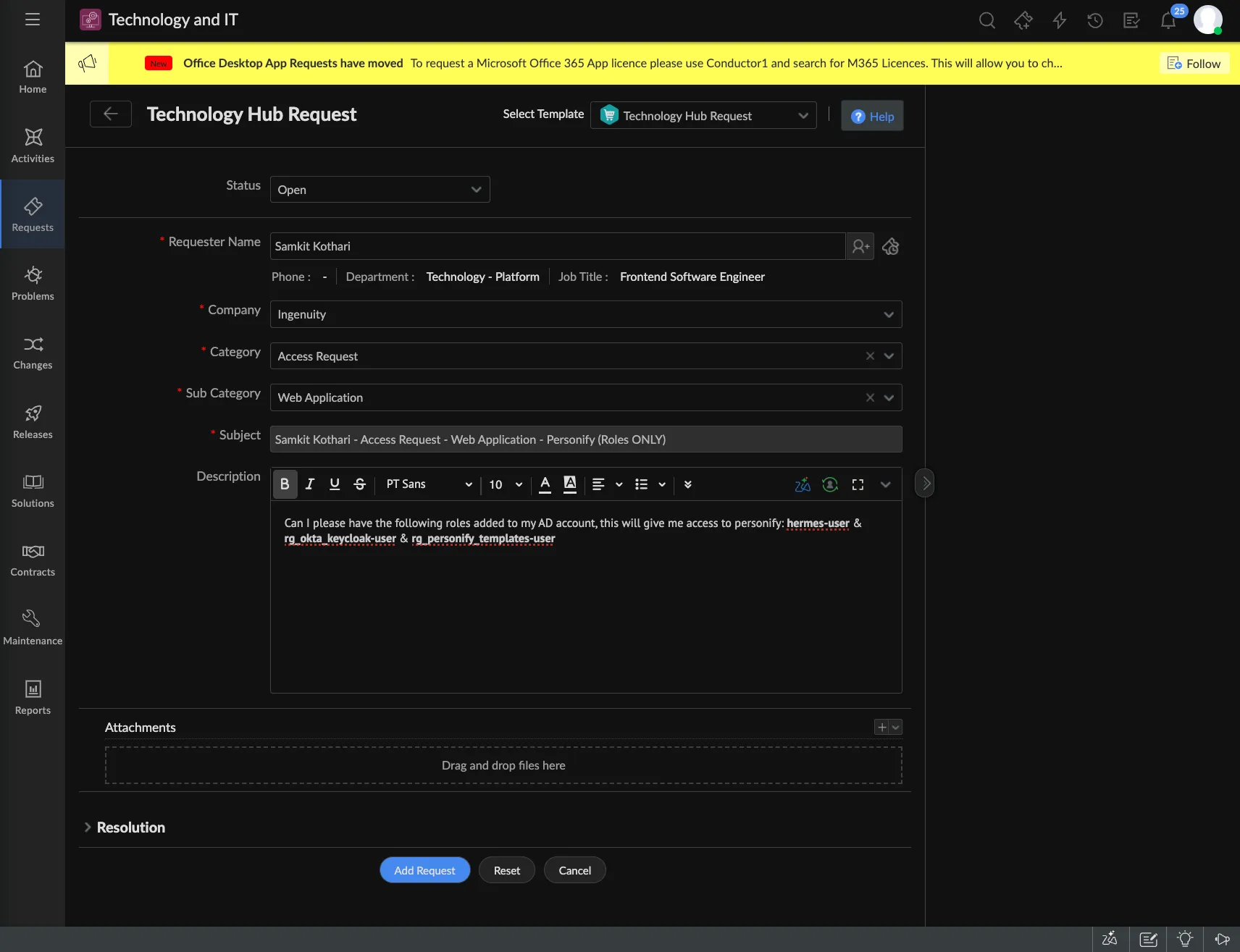
Ticket Details
Section titled “Ticket Details”- Category: Access Request
- Sub Category: Web Application
- Item: Personify
- Description: Ask for the applicable roles to be added to your AD account.
Role Combinations
Section titled “Role Combinations”- Standard users (live / non-dev):
hermes-user,rg_okta_keycloak-user - Traders (Template Builder access):
hermes-user,rg_okta_keycloak-user,rg_personify_templates-user
hermes-user+rg_okta_keycloak-usergrants access to the full application.rg_personify_templates-userlimits access to the Template Builder experience that traders need.
Step 2. Request Brand Access (Optional)
Section titled “Step 2. Request Brand Access (Optional)”- Use this template to request brand access: https://servicedeskplus.thg.com/app/itdesk/ui/requests/add?reqTemplate=4489000000400591
- Description: Specify the brands you need for Hermes/Personify live.
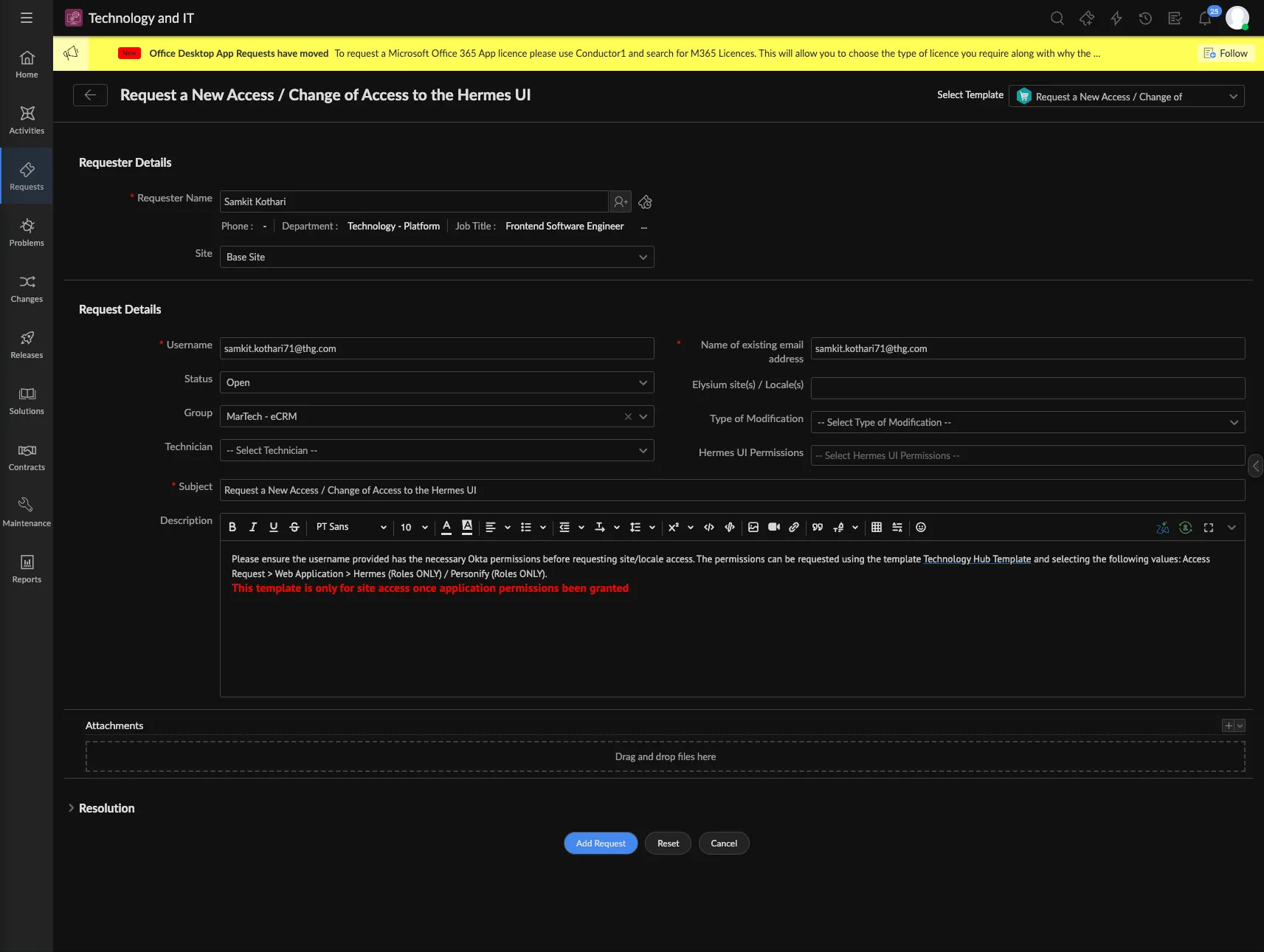
Once the Tech Hub team completes both requests, you can sign in to Personify with the requested capabilities and brand permissions.