Customer Journeys
Summary
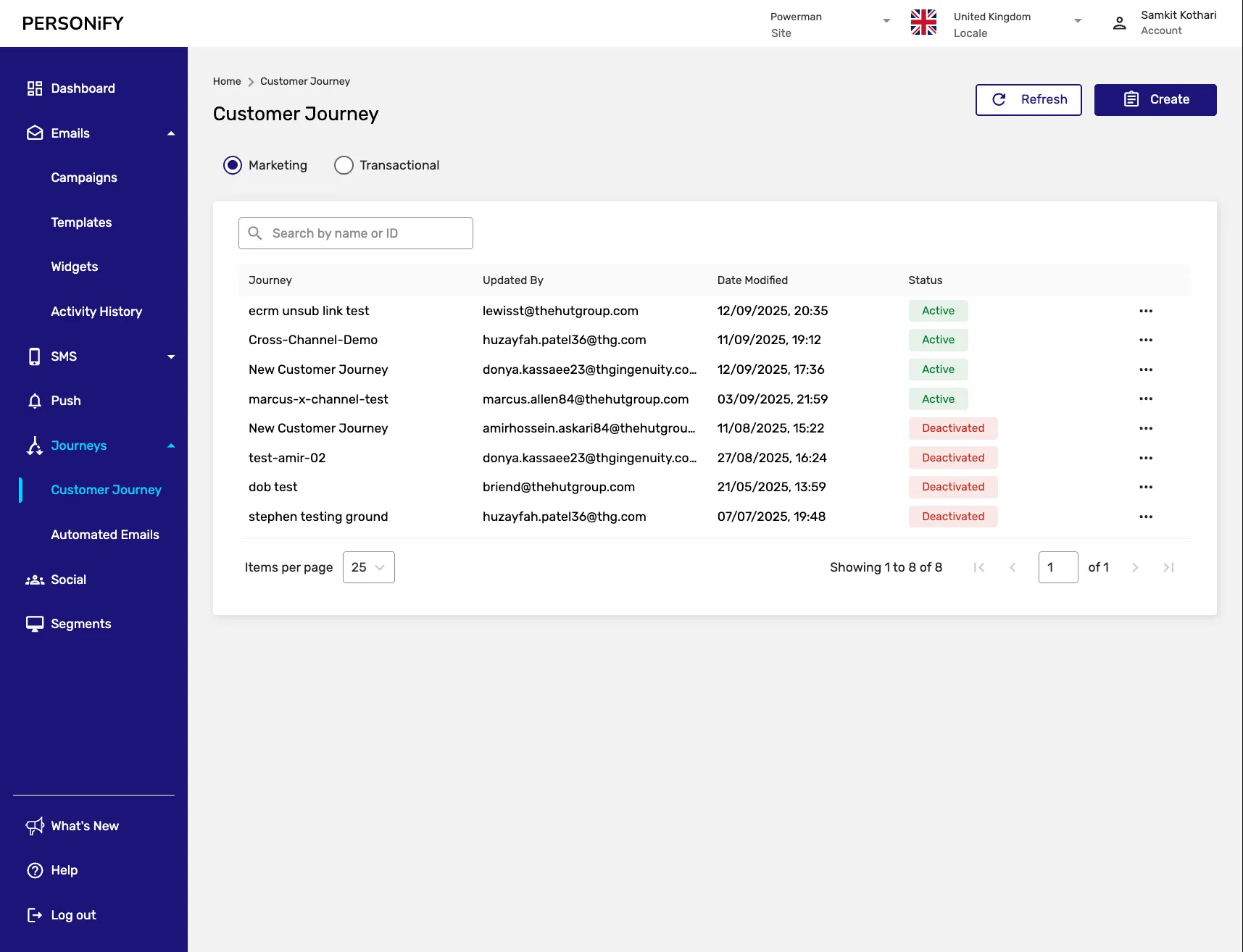
Section titled “Summary”Welcome to the Customer Journey Page, your central platform for managing and organizing your marketing and transactional customer journeys. This guide will help you effectively navigate and understand the various elements on this page, empowering you to streamline your customer journey management.
Overview
Section titled “Overview”The Customer Journey Page is designed to offer you a comprehensive view of your marketing and transactional customer journeys. Whether you’re creating new customer journeys, refreshing your page, or performing actions on existing ones, this platform provides the necessary tools for efficient customer journey management. By default, the page displays marketing customer journeys, but you can easily switch to transactional customer journeys based on your needs.
Getting Started
Section titled “Getting Started”The Customer Journey Page is your gateway to efficiently managing both marketing and transactional customer journeys. Begin your journey by exploring the top right corner, where you’ll find two buttons: Refresh and Create Customer Journey.

Refresh Button
Section titled “Refresh Button”Use the “Refresh” button to update the page and ensure you have the latest information at your fingertips.
Create Customer Journey Button
Section titled “Create Customer Journey Button”The “Create Customer Journey” button allows you to start creating a customer journey based on your current selection (marketing or transactional). However, you can always change your mind and switch between these types to suit your specific customer journey needs.
Customer Journey Types
Section titled “Customer Journey Types”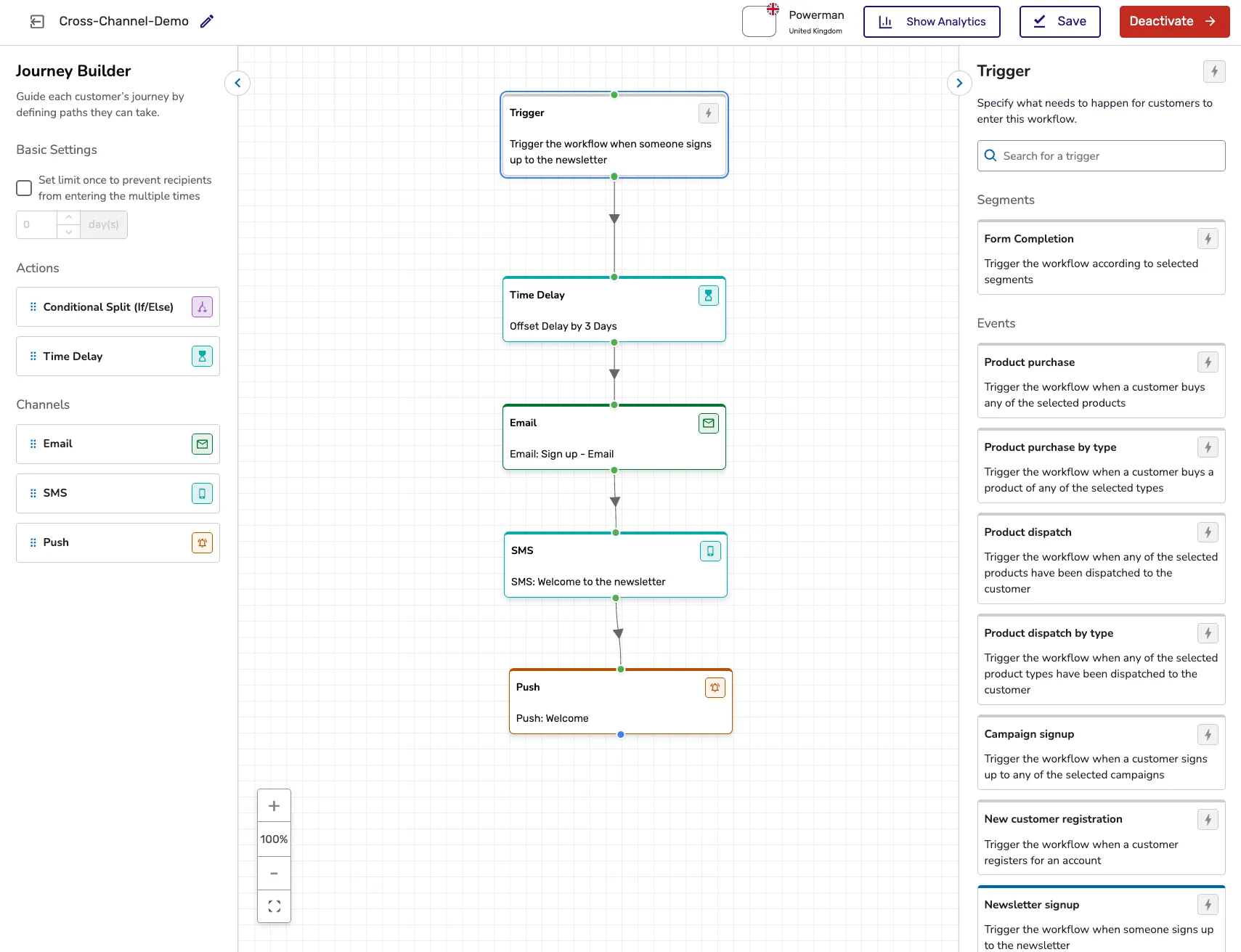
Marketing Customer Journeys
Section titled “Marketing Customer Journeys”Marketing customer journeys are designed for promotional campaigns, customer engagement, and lead nurturing activities. Important: Marketing journeys only go to opted-in customers who have consented to receive marketing communications.
Transactional Customer Journeys
Section titled “Transactional Customer Journeys”Transactional customer journeys handle automated responses, order confirmations, and other transaction-based communications. These journeys are sent to all customers regardless of their marketing preferences. Important: Take care to ensure you do not include marketing material in transactional journeys.
Customer Journey Information
Section titled “Customer Journey Information”The customer journey table displays all journeys of the selected type (marketing or transactional). Each journey entry provides comprehensive details about its structure and performance:
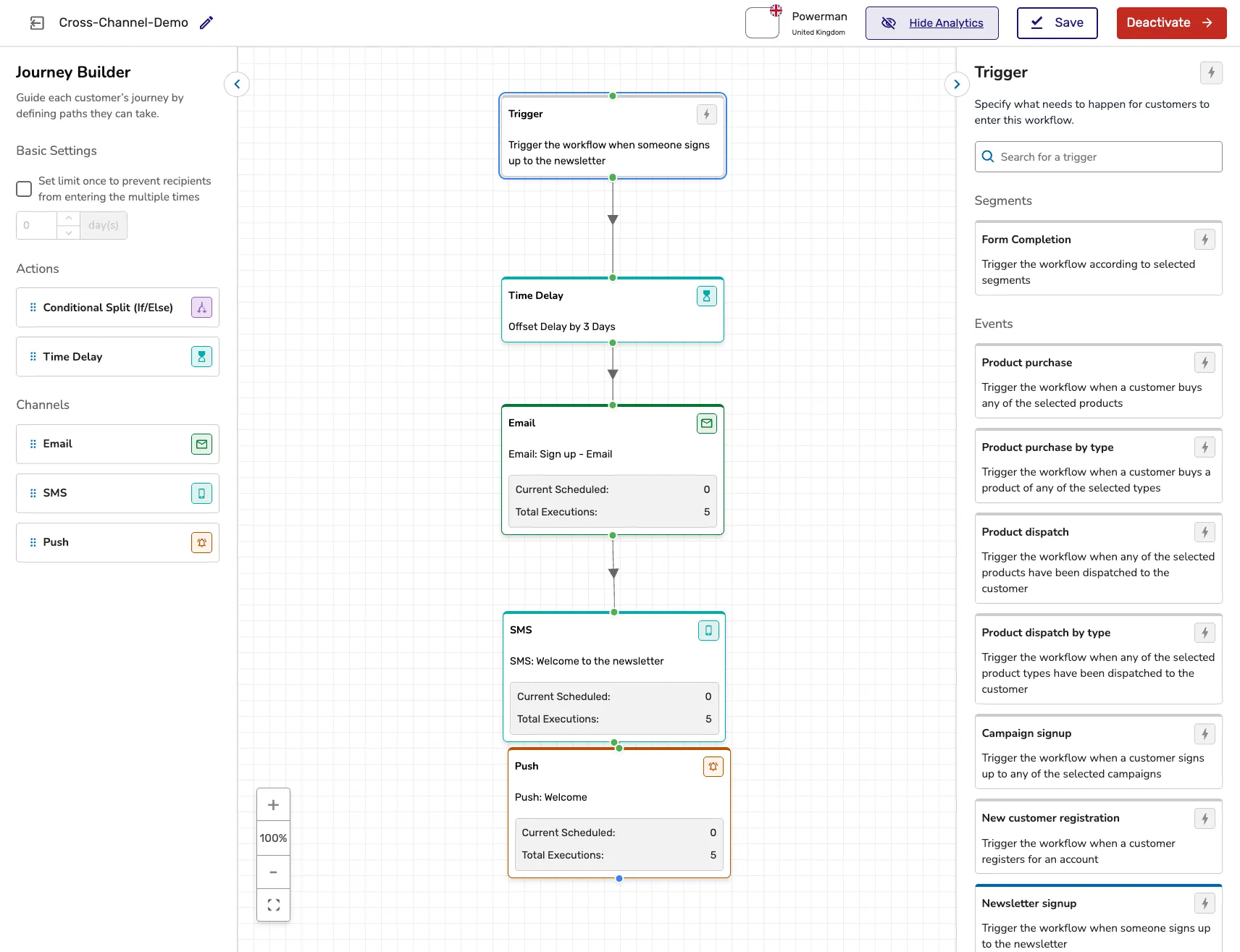
- The number of steps within the customer journey
- The activities that will be performed in each step
- Which steps are currently in progress
- Which steps have been completed
- The total number of times the customer journey has been executed
Customer Journey Actions
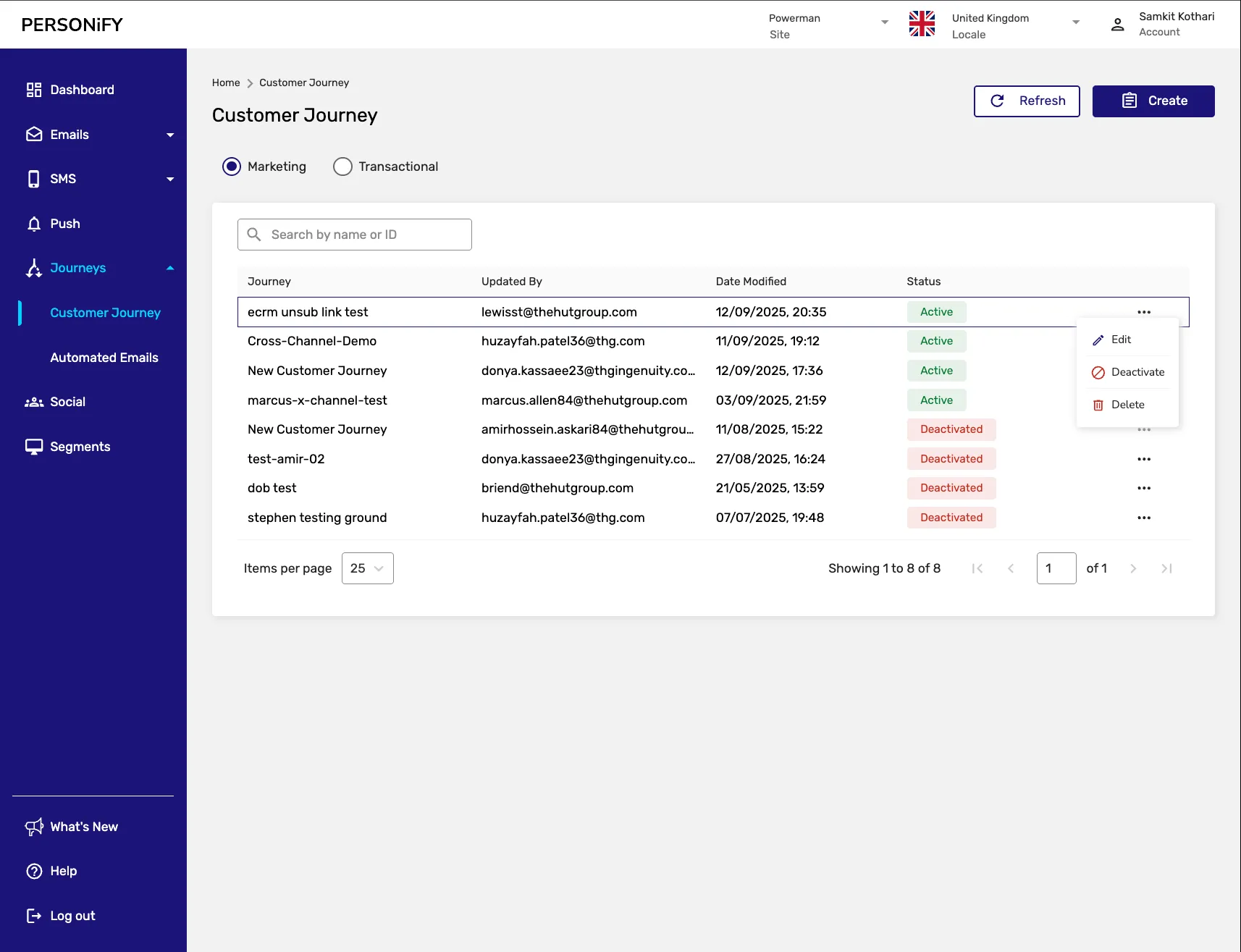
Section titled “Customer Journey Actions”The available actions for each customer journey, regardless of its type, are: Edit and Delete
Edit Action
Section titled “Edit Action”Use the “Edit” action to make modifications to your customer journeys, ensuring they remain up-to-date and aligned with your campaign goals.
Delete Action
Section titled “Delete Action”The “Delete” function allows you to remove customer journeys that are no longer relevant or needed, keeping your customer journey space organized and efficient.
Creating a Customer Journey
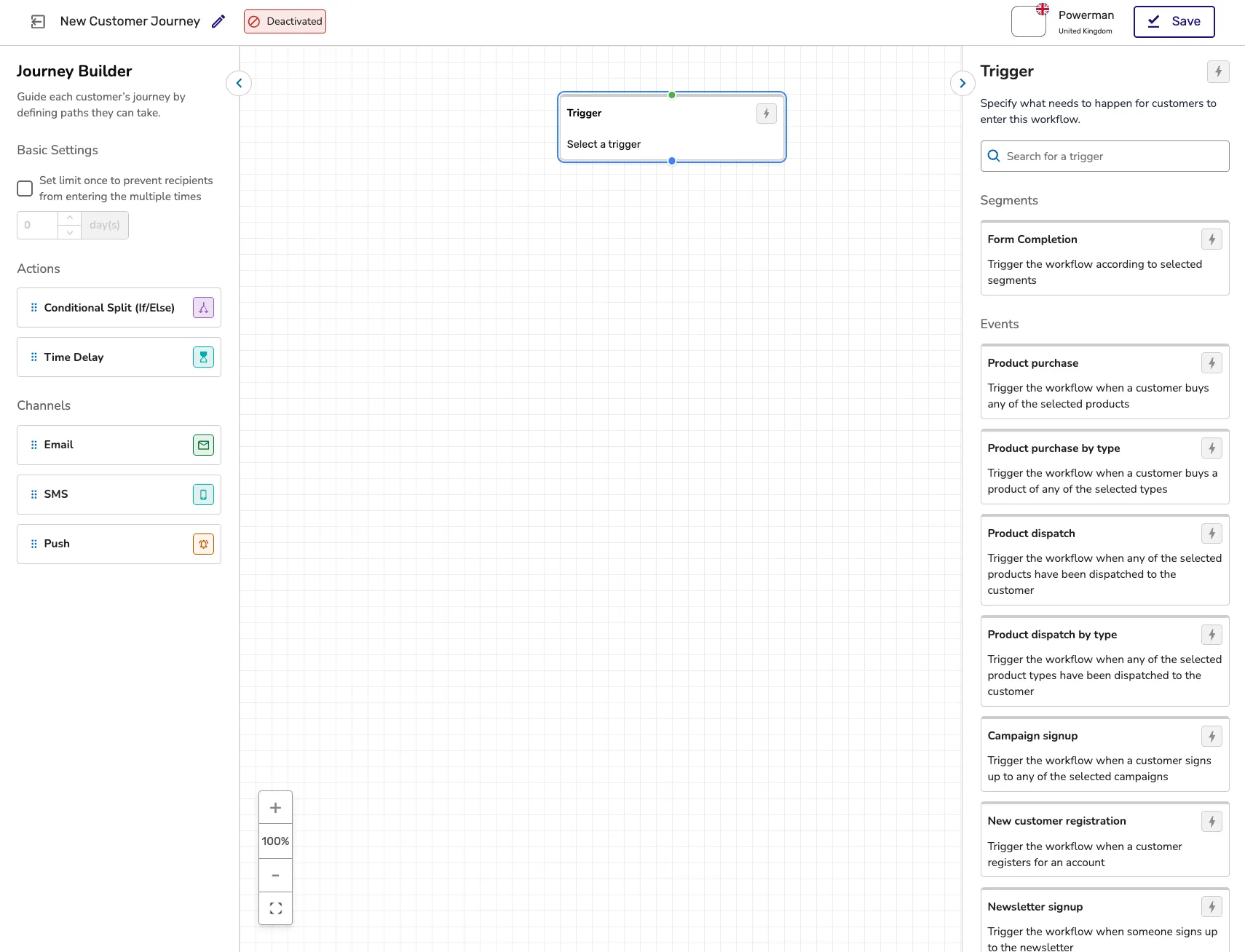
Section titled “Creating a Customer Journey”When creating a new customer journey, you’ll go through several steps:
- Customer Journey Type Selection: Choose between marketing or transactional
- Basic Information: Provide name and description
- Trigger Setup: Define what initiates the customer journey
- Step Configuration: Add and configure customer journey steps
- Review and Activate: Final review before activation
Customer Journey Management Features
Section titled “Customer Journey Management Features”Step Management
Section titled “Step Management”Each customer journey consists of multiple steps that can be:
- Added or removed
- Reordered
- Configured with specific conditions
- Monitored for performance
Execution Tracking
Section titled “Execution Tracking”Monitor how many times each customer journey has been executed and track performance metrics.
Status Monitoring
Section titled “Status Monitoring”Keep track of which steps are:
- In progress
- Completed
- Pending
- Failed
Best Practices
Section titled “Best Practices”- Clear Naming: Use descriptive names for easy identification
- Regular Review: Periodically review customer journey performance
- Step Optimization: Ensure each step adds value to the customer journey
- Testing: Test customer journeys before full deployment
Summary
Section titled “Summary”The Customer Journey Page is designed to streamline your customer journey management, whether they are marketing or transactional. It provides a user-friendly approach to creating, editing, and maintaining your customer journeys.
You can efficiently organize and optimize your customer journey strategy, making it an indispensable tool for professionals looking to enhance their customer journey operations.