Customer Lists
Summary
Section titled “Summary”Customer lists are a way to group customers. These lists are used across the platform for a variety of use cases, for example when creating special offers for a particular group of customers.
Customer List Types
Section titled “Customer List Types”Approved Account List (to be deprecated)
Section titled “Approved Account List (to be deprecated)”See standard list.
Newsletter Sign-Ups List
Section titled “Newsletter Sign-Ups List”Automatically includes every customer who has opted-in for marketing / newsletter.
Product Restriction List
Section titled “Product Restriction List”Automatically keeps a list of customers who bought a particular product or products. Tech support is required to manually configure the SKU for such a list.
Professional List (to be deprecated)
Section titled “Professional List (to be deprecated)”See standard list.
Reward Card list
Section titled “Reward Card list”Automatically includes customers with reward card.
Segment Based
Section titled “Segment Based”Generated from an eCRM segment once a day.
Standard
Section titled “Standard”Arbitrary list of manually selected customers.
Standard (CS Editable)
Section titled “Standard (CS Editable)”Same as Standard, but Customer Agents can edit these via Contact Centre.
Student list
Section titled “Student list”Includes customers with email domain suffix .ac.uk.
Subscriber List
Section titled “Subscriber List”Automated includes customers subscribed to a particular sku. If the sku is defined as null, this list will automatically include all customers with any subscription on the site.
View Existing Customer Lists
Section titled “View Existing Customer Lists”Use the Search by Name, ID or Type search bar at the top left to filter your view of the existing customer lists.
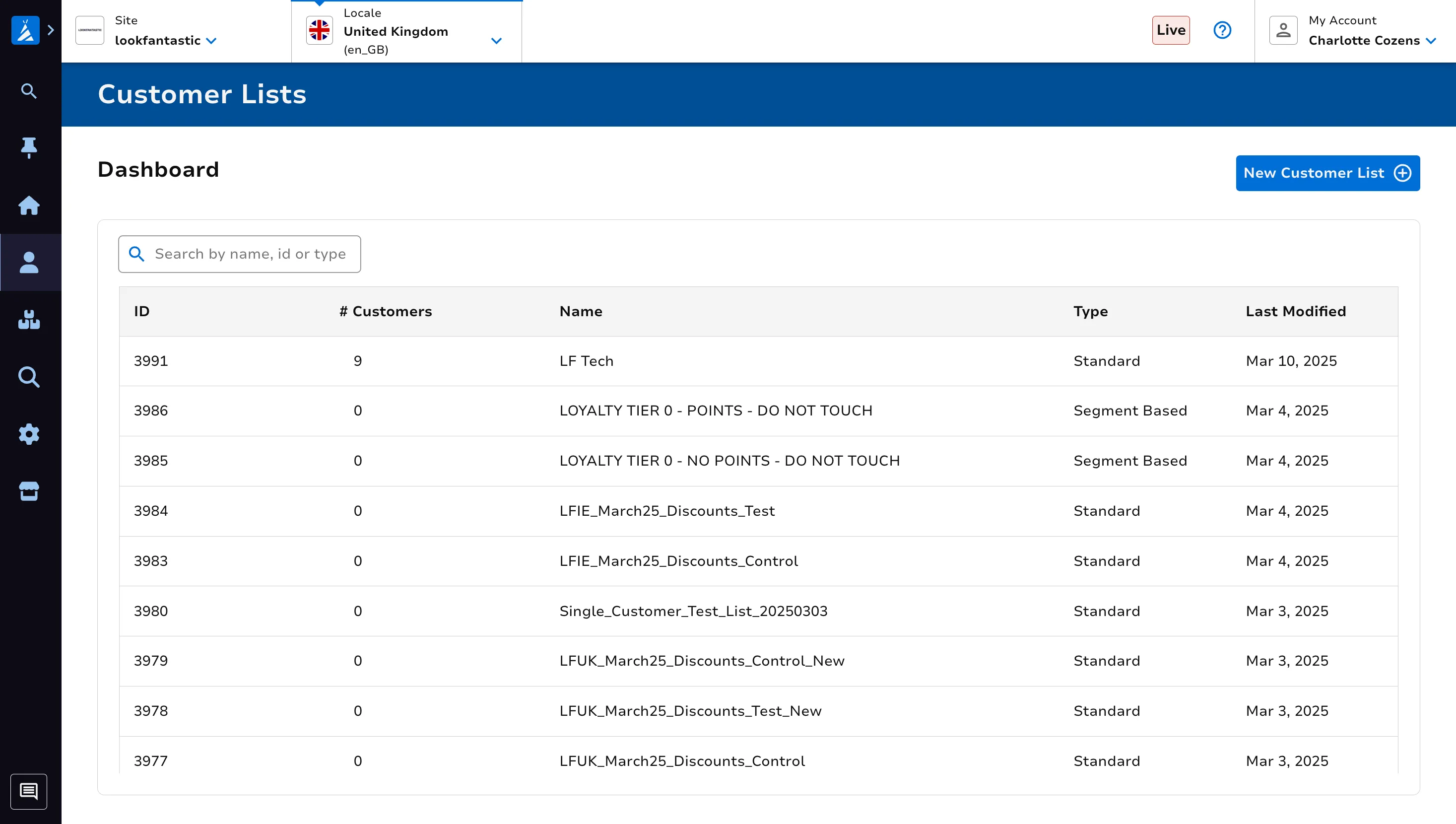
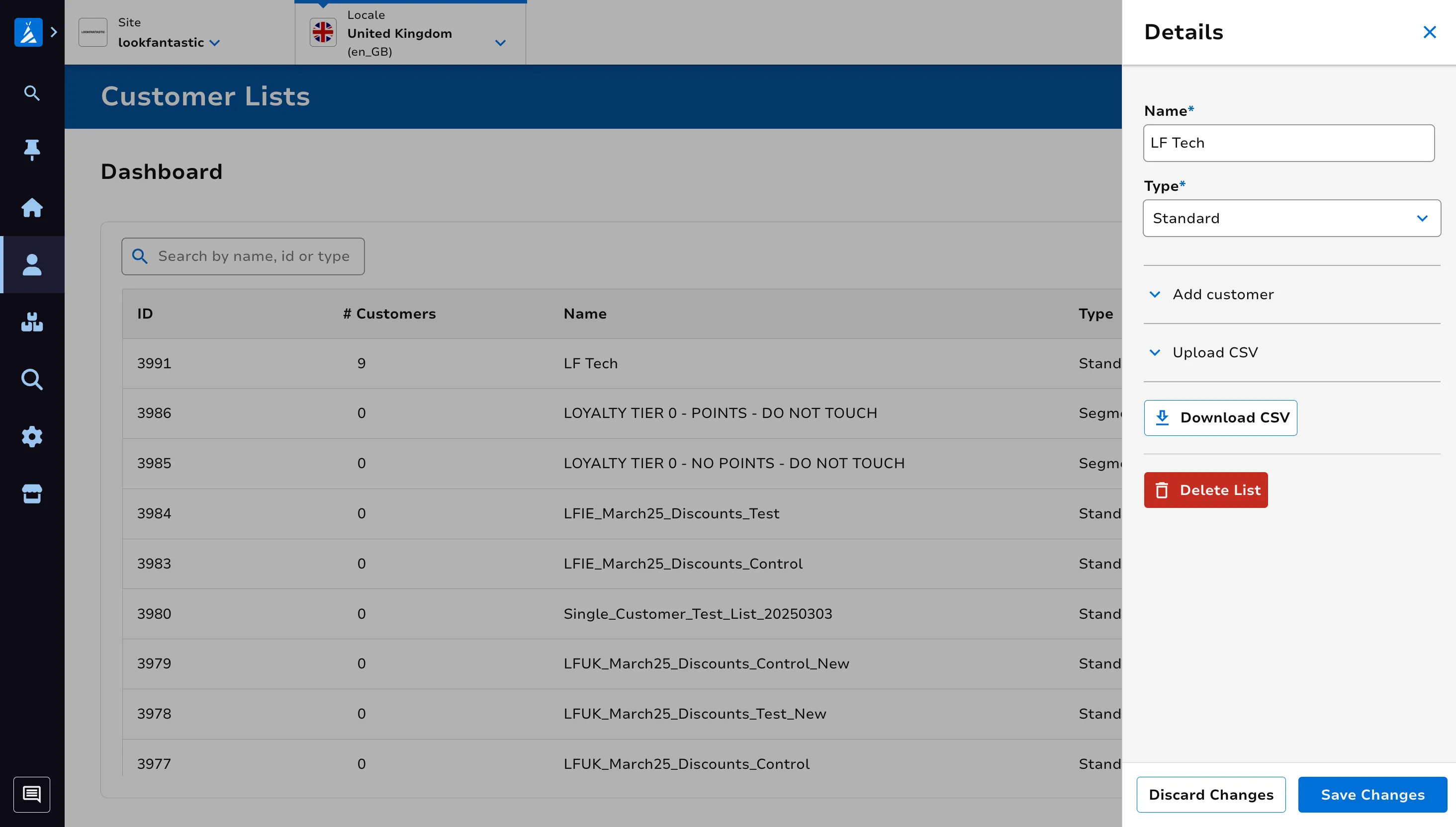
Click on a particular list to view the list details.
Create a new Customer List
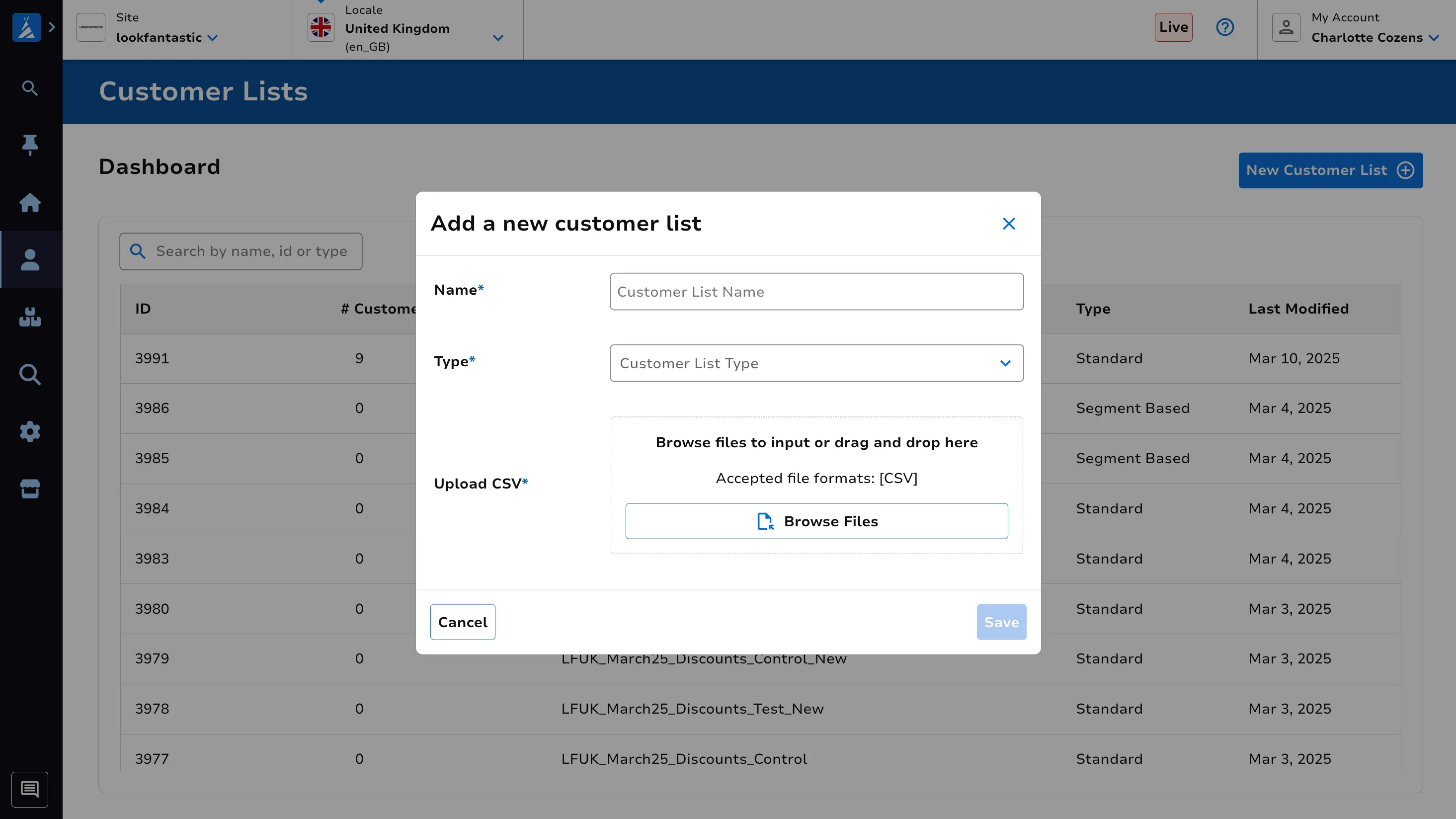
Section titled “Create a new Customer List”Click on the New Customer List button at the top right of the screen. Enter your customer list name, the list type and the relevant details. Click Save once ready.
Edit or Delete a Customer List
Section titled “Edit or Delete a Customer List”Click on a particular list to view the list details. Make your changes, then click Save.