Social Login Providers
Summary
Section titled “Summary”This module is used to configure social login providers for a site. If configured, Customers can login to their accounts via one of these methods, such as logging in via Google or Facebook.
Site Level Configs apply to all locales for a site. You can also override configurations for a single locale using the Subsite Level Configs tab.
View Existing Providers
Section titled “View Existing Providers”Search for existing providers using the search bar at the top left of the screen.
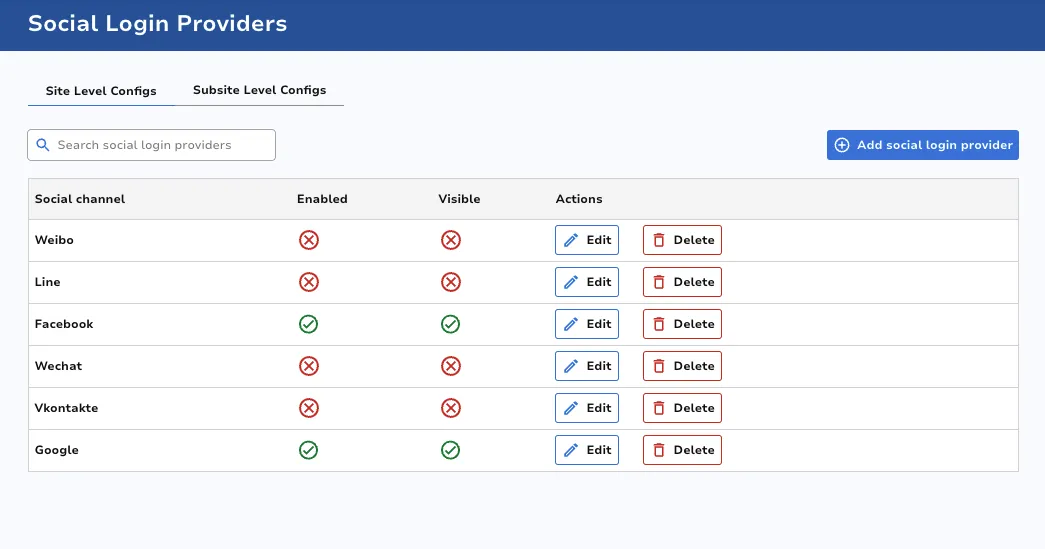
Add Social Login Provider
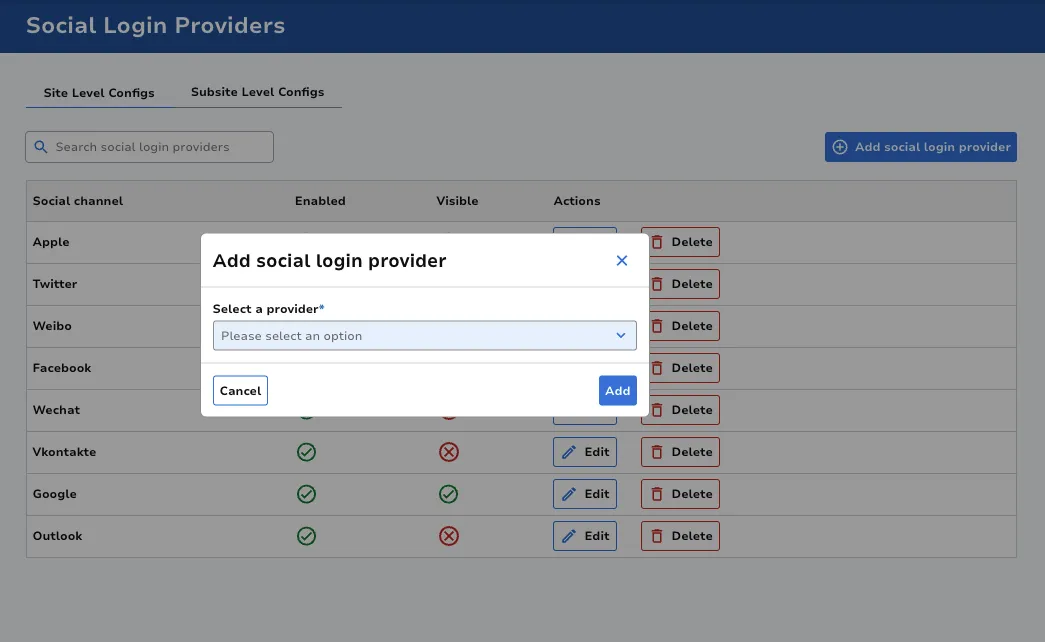
Section titled “Add Social Login Provider”Click on the Add social login provider button at the top right of the screen. Select from the dropdown which provider you require. Click Add to proceed.
Populate the required fields. The overwrite value toggles are there to prevent accidental changes, just switch these to ON to update a field.
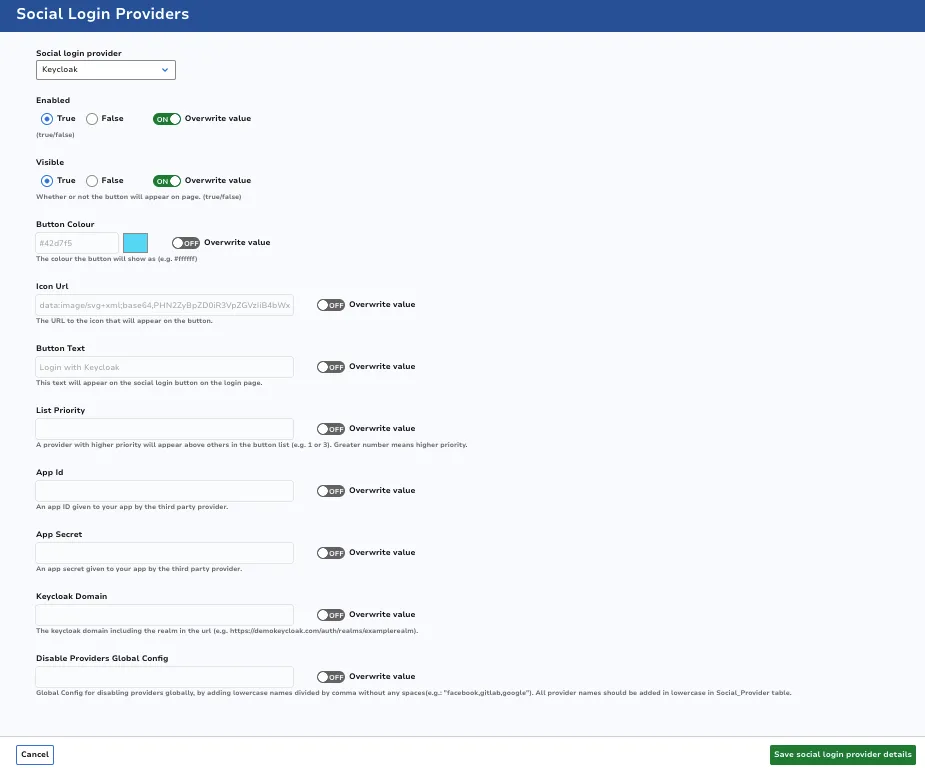
Click Save social login provider details once ready.
Edit Social Login Provider
Section titled “Edit Social Login Provider”Click the Edit button on the corresponding row. Make any desired changes, then click Save social login provider details once ready.
Delete Social Login Provider
Section titled “Delete Social Login Provider”Click the Delete button on the corresponding row.